
Start with achievements
Review what the party accomplished before choosing a reward.
Session rewards and advancement choices
A hard-won victory. A clever plan. A milestone reached. Review what the party achieved, choose the award factors and caps, then decide how experience or milestones should move the campaign forward.

Give progress a considered reward
Choose what matters to your campaign and explain the award to the group.
Review what the party accomplished before choosing a reward.
Set factors and limits that fit the table’s approach to advancement.
Add a controlled dice swing when it suits the campaign.
Follow cumulative experience or decide whether an agreed milestone has been reached.

Review the reward choices
The illustration represents tabletop reward planning, not an application screen or generated image output.
Start with the party’s achievements. Choose the factors, caps and any optional dice swing.
Review the award alongside accumulated experience, level-up progress or the campaign’s milestone approach.
From achievements to a reviewed award
Keep the reward understandable before updating campaign records.
Consider the party’s achievements and choose the award factors.
Adjust the contribution and limit for each factor.
Choose whether chance can affect the result and review its contribution.
Review XP and level-up progress or the milestone decision, then update your campaign records yourself.
Your session reward toolkit
Shape the award and review advancement within your campaign’s agreed approach.
Begin with what the party achieved and decide what matters for the reward.
Set the contributions that shape the session award according to your campaign.
Use limits to keep each factor and the overall reward within the approach agreed at the table.
Choose whether a controlled element of chance can change the award.
Review progress beyond a single session alongside the award you have considered.
Use accumulated experience when reviewing the next advancement decision.
For milestone campaigns, decide whether the group has reached an agreed achievement.
Record the reviewed award, relevant limits and advancement decision in your session notes.
Advancement that fits the campaign
Use the reward approach agreed by the Dungeon Master and players.
Prepare an experience award from the factors and limits you choose.
Introduce a controlled element of chance without leaving the entire reward to an unrestricted roll.
Review accumulated experience beyond a single session.
Use the group’s agreed achievements to decide advancement instead of XP.
Refine the award before using it
Adjust the choices to fit the session and the campaign.
Decide what the session contributed and how much that factor should matter.
Keep relevant limits visible when judging the award.
Review how the dice choice changes the result before using it.
Include enough detail in your session notes for the group to understand the advancement decision.

A reviewed award and advancement choice
Read the session award alongside chosen factors, caps and any optional dice swing.
Review cumulative experience and level-up progress, or decide whether an agreed milestone has been reached.
Record the reviewed result, relevant limits and advancement decision in your session notes. Update character records yourself.
Advancement stays at the table
Use the reviewed result within the rules your group has agreed.
Choose the factors, caps and milestone requirements yourself.
A dice swing can contribute to an award; the whole reward need not be left to a roll.
Record the reviewed award and update character records yourself.
The tool does not replace action-resolution rules or turn every contribution into an identical reward.
Choose your generator access
The current USD catalogue lists XP / Rolls Engine as available. Review the current account offer when choosing access.
Choose XP / Rolls Engine as your selected standalone generator for US$1.99 per month.
Select this generator within an eligible pack. Pack capacity and current pricing are shown in your account.
Combat PRO, Battlemaps and image-credit products have their own access arrangements. They are not included automatically.
Create a free account, choose the required generator access and use Desktop Command Centre on Windows.
VISINVOKE means value
A focused tool for session rewards and advancement.
Consider the party’s achievements before setting an award.
Choose factors and caps according to the group’s reward approach.
Use cumulative XP or milestone levelling as agreed at the table.
Explain the reviewed award and update campaign records yourself.
Build your tabletop toolkit
Each card opens its own product website. Review purpose and access separately; related products do not promise included access or automatic synchronisation.

Open your VISINVOKE products from Windows.
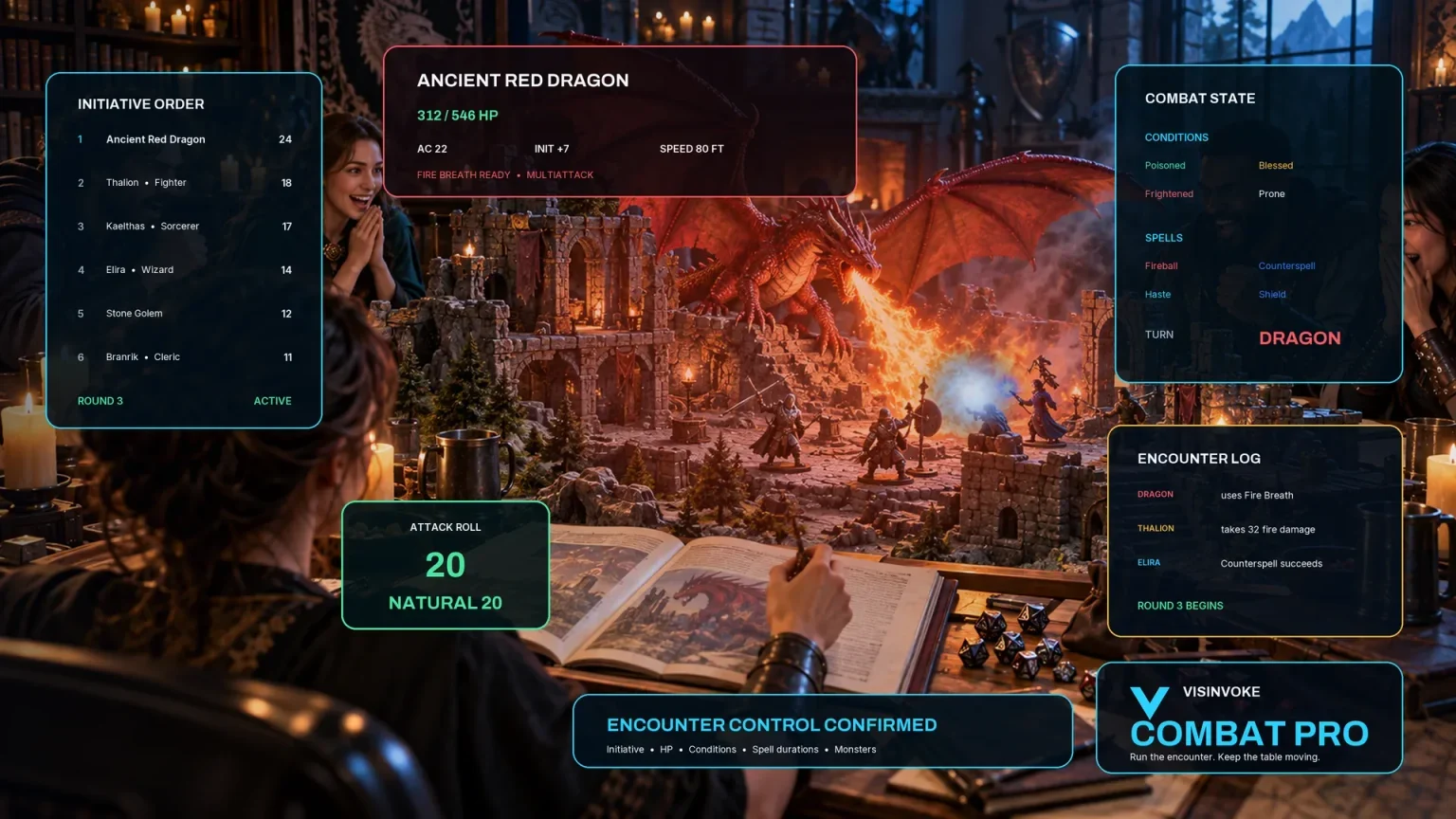
Explore separate tools for encounters at the table.

Develop the broader setting around the campaign.

Prepare the places the party can explore.

Explore separate adventure environments.

Explore separate fantasy image creation.
Product artwork illustrates tabletop reward planning, not application screens or actual generated image output.
Quick answers
Understand access, optional dice, progression and campaign records.
Prepare a session experience award from chosen factors, caps and an optional dice swing. Review the result alongside cumulative XP and level-up progress, or use your campaign’s milestone approach.
The current USD catalogue lists US$1.99 per month for one selected standalone generator. XP / Rolls Engine can also be selected through eligible generator packs. A VISINVOKE account and required generator access are needed; other products have separate access arrangements.
No. The dice swing is optional. Decide whether a controlled element of chance belongs in your campaign’s rewards, then review its effect within the factors and limits you choose.
Yes. Choose milestone levelling instead of experience points when that fits your campaign. The Dungeon Master and group decide whether the agreed milestone has been reached.
Use the reviewed result when updating your campaign’s character records yourself. Keep the award, relevant limits and advancement decision in session notes so players can understand how the reward was decided.
No. This tool focuses on experience awards and progression. The Dungeon Master and players decide how their agreed advancement rules apply; it does not replace action-resolution rules or make every contribution an identical reward.
Continue in VISINVOKE
Create a free VISINVOKE account and choose the required generator access.
Get Desktop Command Centre from your account installer page. Sign in on Windows, then open XP / Rolls Engine.